
Connecting to Mercury
How to Connect
Step 1: Click "Add Bank Connection" and select "Mercury"
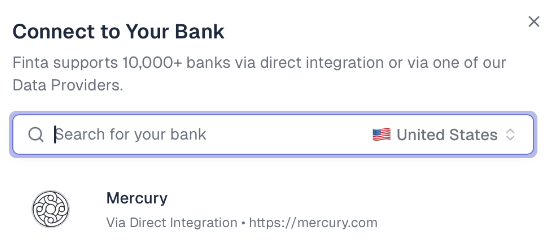
Step 2: Authenticate with Mercury
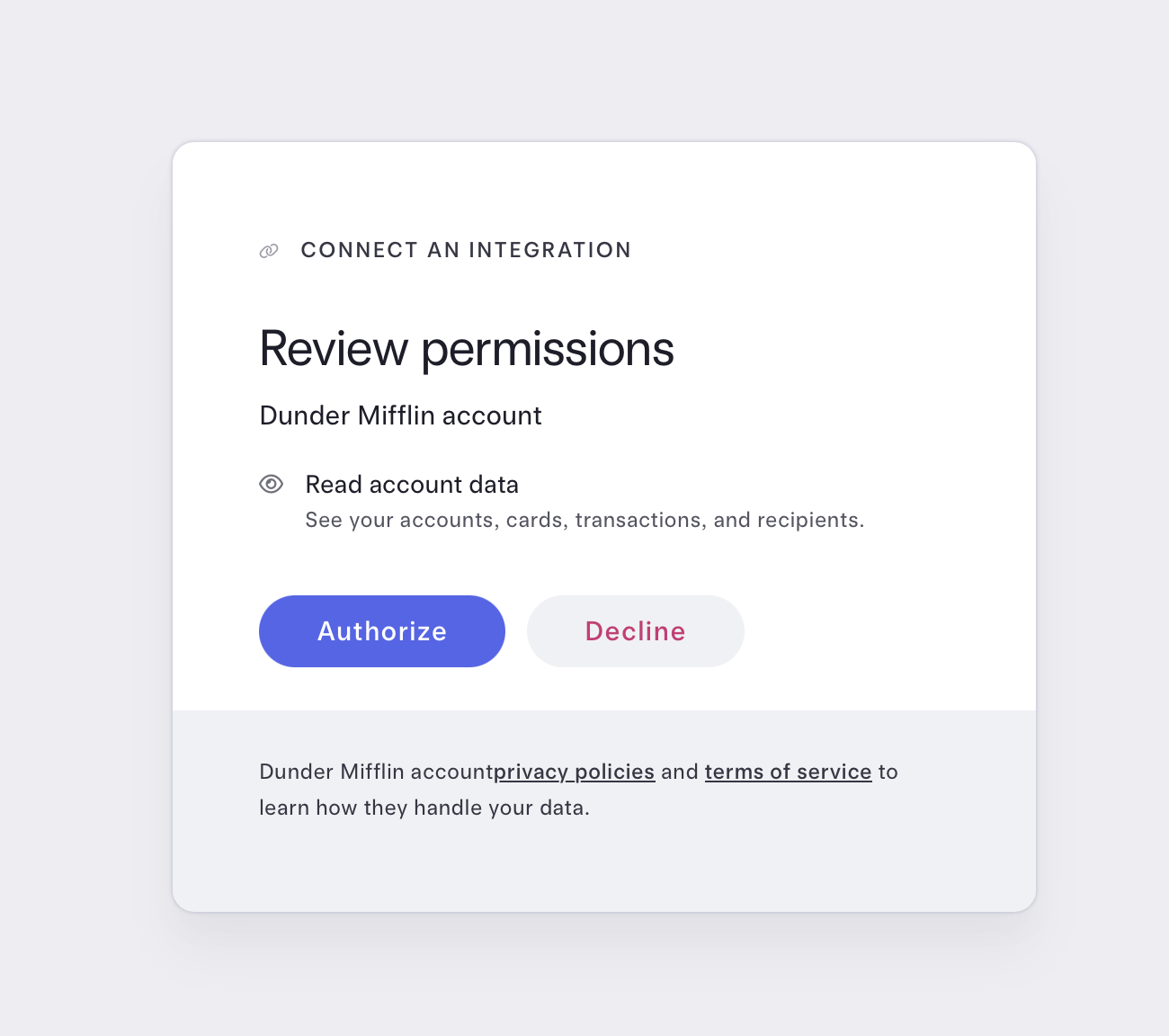
1. You'll be automatically redirected to Mercury's secure login page
2. Log in with Mercury if you're not already signed in
4. Review the permissions being requested (Finta only requests read-only access)
5. Click "Authorize" to grant Finta access to your Mercury accounts
How Syncs Work
Automatic Updates
Finta automatically checks for new transactions every hour
If there is new data, Finta will send any new or updated transactions to any connected destination
Failed, cancelled, or reversed transactions are automatically deleted
What Gets Synced
Account balances
Transactions: Pending and posted transactions
Frequently Asked Questions
Is it secure?
Yes! Mercury's OAuth connection is bank-level secure. Finta never sees or stores your Mercury password, and we only have read-only access to your account data. You can revoke access at any time from your Mercury security settings.
Do you support both Mercury Business and Personal accounts
You can connect both personal and business Mercury accounts to Finta
Can I disconnect Mercury?
To truly disconnect Finta from Mercury, go to Settings → Integrations → Third-Party Connections . Click on the Finta-io connection and then click "Remove"
Need More Help?
If you're experiencing issues connecting to Mercury or have questions not covered here, reach out to our support team at support@finta.io.