
Syncs
Syncs from your bank connections to your destination(s) can happen in one of two ways:
Automated Syncs
Syncs automatically happen whenever Finta receives new data from your bank connection. If your bank connection is powered by Plaid, this can happen anywhere between once to more than three times a day (depending on the bank). Syncs from Stripe connections happen a few minutes after events happen within Stripe.Because these syncs are automatic, you don’t have to do anything to start or keep them going. For more details, see the docs on automatic syncs in Plaid and Stripe.
Manual Syncs
If you add new tables, update columns, or fixed your destination, you might need to trigger a manual refresh. To do so, go to your destination’s page and click on the refresh button at the top. This will sync all of your data to your destination and should fix any missing or new data. Manual syncs also happen when you update your destination’s sync start date.
Syncs Page
On the syncs page you can see a full history of all of your syncs across every destination and bank connection.
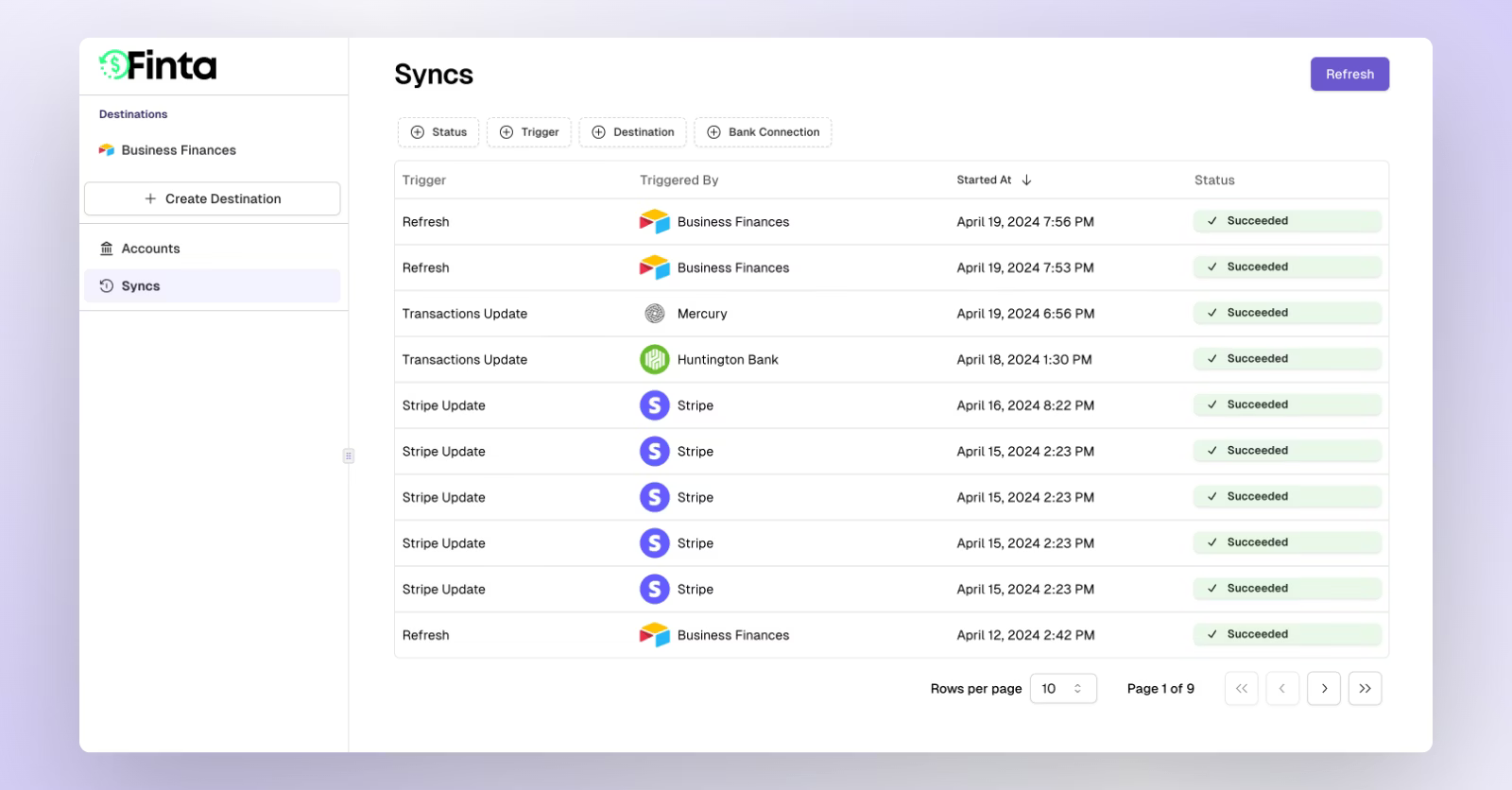
Click on a sync to view more details about how much data was sent to your destination and if there were any errors.
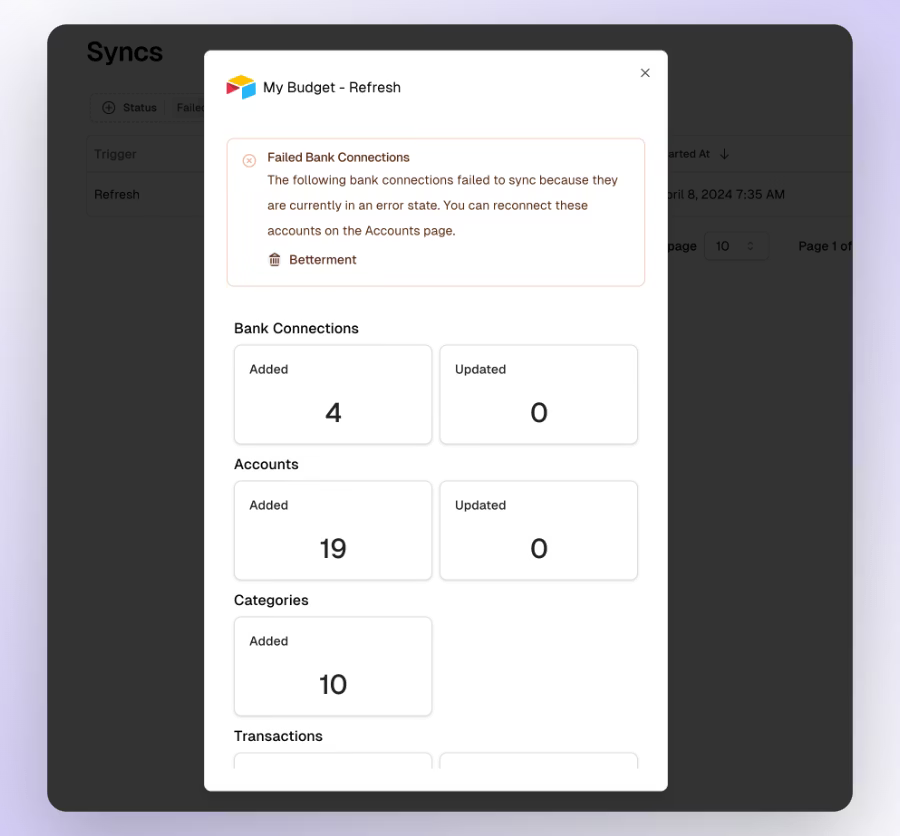
If you every have a question or an issue about a sync, just click on the sync and share the url in the support chat.
Sync Frequency
How often does Finta sync my data?
Finta's sync frequency depends on your data provider and destination platform. We sync your data as frequently as each provider allows to ensure you always have access to the most up-to-date financial information.
Plaid (US/Canada banks)
Your data updates automatically whenever your bank sends new information to Plaid. This typically happens once per day, though timing varies by bank.
GoCardless (European banks)
Syncs once daily due to GoCardless platform limitations.
Stripe
Syncs in real-time. Your Stripe transactions appear in your destinations within moments.
Mercury
Syncs every 2 hours to keep your business banking data current throughout the day.
Coda Connections
Coda works differently than other destinations. The sync frequency is determined by your Coda pack's refresh settings, which you can configure in your Coda document.
The freshness of your data still depends on the provider:
Stripe & Mercury: Real-time data when the pack refreshes
GoCardless: Updated once daily
Plaid: Updated based on when your bank last sent information to Plaid
Can I change the sync frequency?
Sync frequencies are determined by the data providers and cannot be manually adjusted:
Plaid: Depends on your bank's update schedule
GoCardless: Once daily
Stripe: Real-time
Mercury: Every 2 hours
For Coda users, you can control how often the pack refreshes your document, but this won't change how frequently the underlying data is updated by the providers.
FAQ
What should I do if I see duplicate transactions in my destination?
If your bank was not set up via Plaid, then reach out to support to get assistance.
If your bank is connected via Plaid, you might encounter issues where a transaction syncs twice by accident. This is a known data issue with Plaid that is unfortunately out of Finta's control. If you experience this issue, try syncing only posted transactions to ensure that each transaction syncs only once.