
Connect to Google
Troubleshooting Missing Google Drive Access
Finta needs Google Drive permission to create and sync your Sheets. During Google authorization, confirm the Drive permission is shown. If it’s missing, reconnect.
Steps
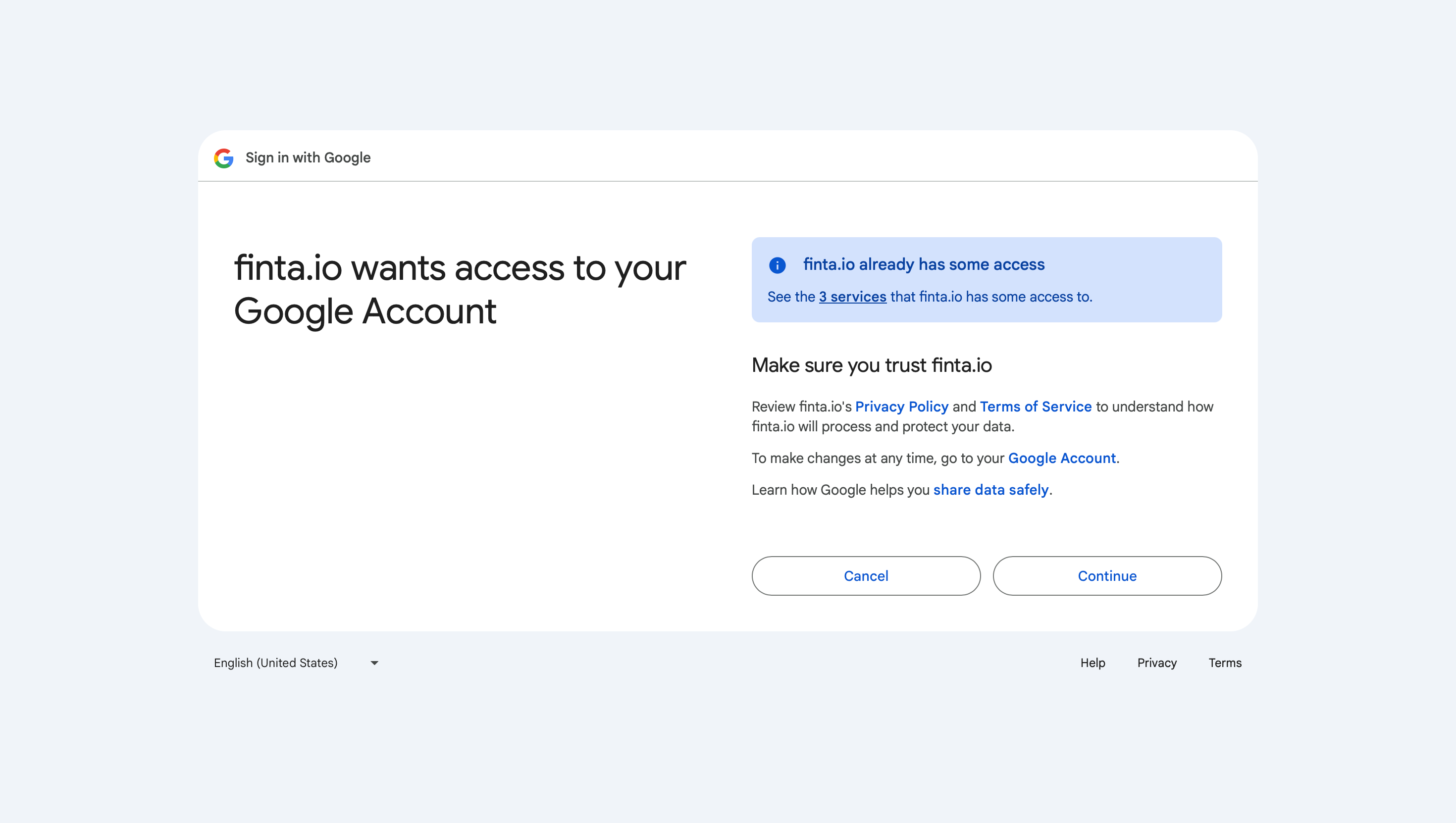
On the Google authorization screen, click the text to see the services Finta has access to. In the below screenshot, that link that says “See the 3 services”
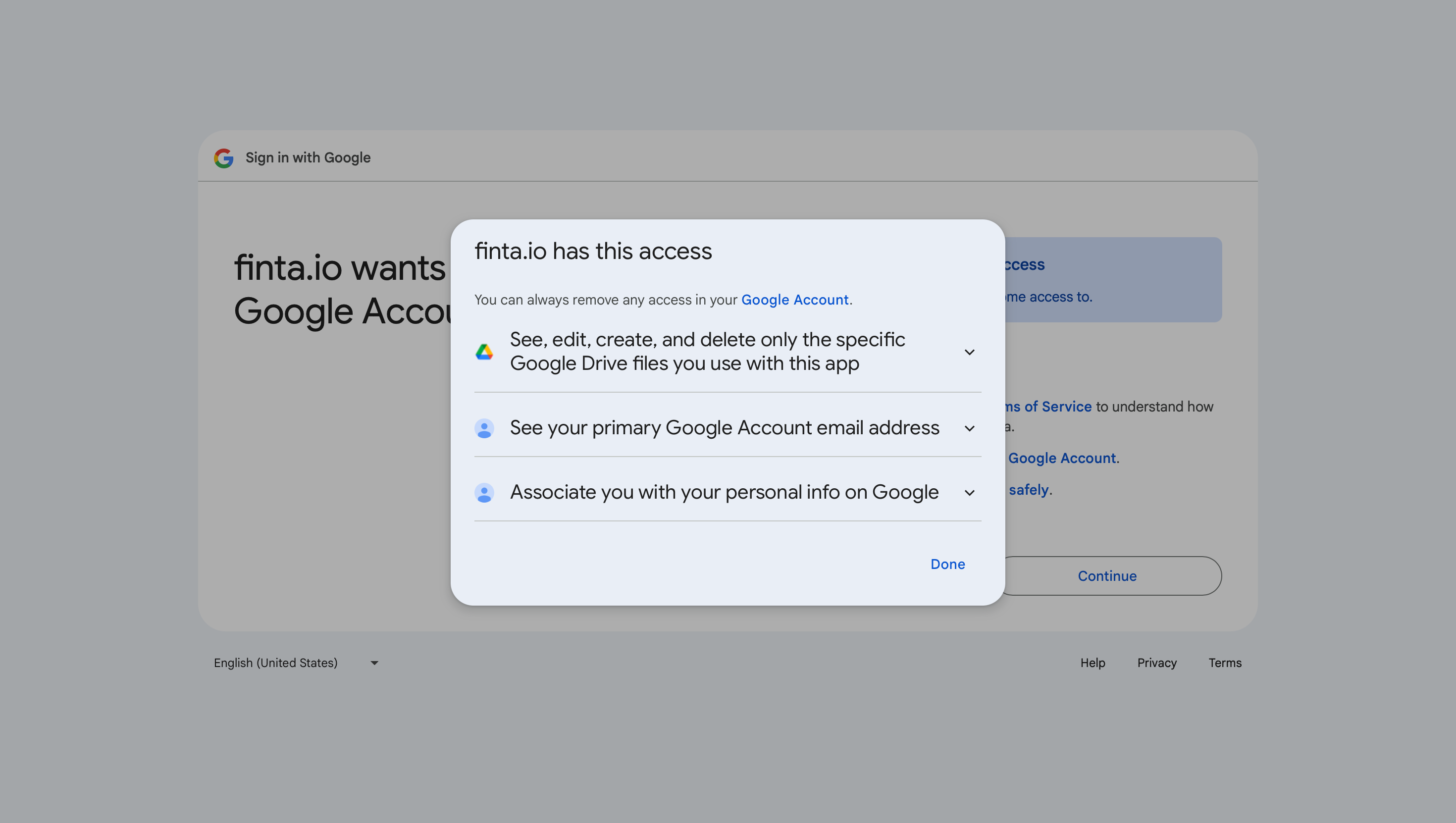
Confirm you see the Drive permission that reads: “See, edit, create, and delete only the specific Google Drive files you use with this app.”
If the Drive permission is missing, please try to reconnect your Google account again.
If the Drive permission still doesn’t appear, contact help@finta.io.
Why This Matters
We use the “Drive file” permission so Finta can only access the specific files you create or select for syncing.